The Trading Journal
That Keeps You
Honest
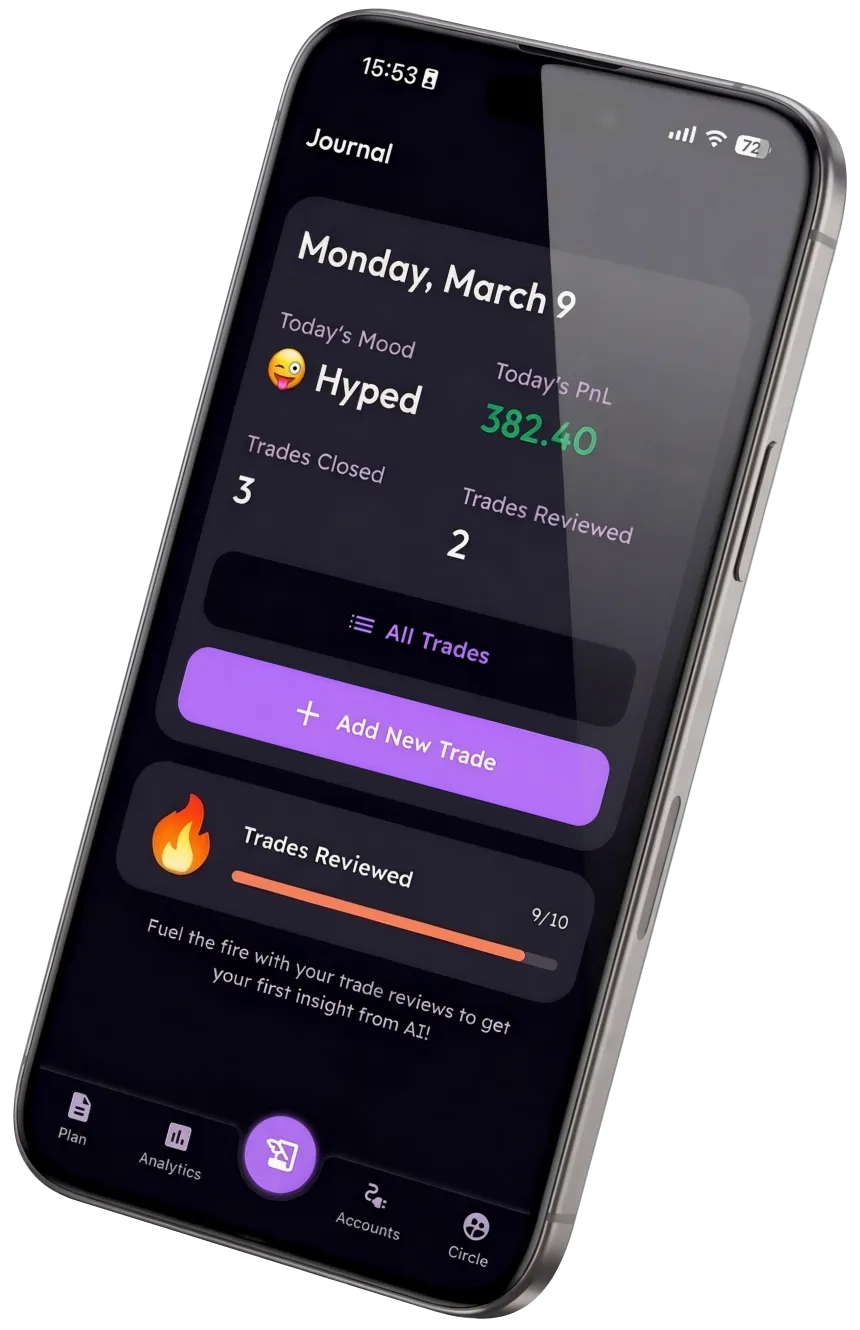
Log every trade in seconds, track the stats that matter, and keep a trading diary that finally tells you why you win and lose — free on iOS and Android.


"Simple journaling that keeps me consistent every week."
WHY KEEP A TRADING JOURNAL
You can’t fix what you never wrote down.
Most retail traders lose — not for lack of a strategy, but because fear, greed, and revenge trading quietly override it. Without a trading journal, every one of those mistakes vanishes by the next session, so you repeat it. Writing trades down is how the pattern finally becomes visible.
Memory lies
You remember the big wins and forget the sloppy losses. A trading log records what actually happened.
Patterns hide
The mistake draining your account repeats across dozens of trades. You only see it once it’s on the page.
Emotion wins
Fear and FOMO override your plan in the moment. Journaling your mindset is how you take the wheel back.
THE BASICS
What is a trading journal?
A trading journal is a record of every trade you take and the thinking behind it. Call it a trading log, a trading diary, or a trading ledger — the name matters far less than the habit. At its simplest it answers three questions for each trade: what you did, why you did it, and how you felt doing it.
A plain trading log captures the numbers — entry, exit, size, profit or loss. A true trading journal goes one layer deeper and captures the decision: the setup, whether it matched your rules, and your state of mind. That second layer is where the lessons live, because most trading mistakes are decisions, not bad luck.
Reviewed weekly, those entries turn into patterns — the session you trade worst, the setup you overtrade, the emotion that precedes your biggest losses. That feedback loop is the entire reason professional traders keep one, and it’s why a journal you fill in consistently beats the most sophisticated one you abandon after a week.
What to record in your trading journal
Entry & exit
Price, time, size, and the setup that triggered the trade.
Risk & reward
Your stop, target, and the R-multiple you actually realised.
The reason
Why you took it — and whether it followed your written rules.
Your mindset
How you felt: calm, fearful, greedy, or chasing a loss.
Screenshots
The chart at entry, so you can review the setup honestly later.
The lesson
One sentence on what to repeat or avoid next time.
HOW IT WORKS
Start your trading journal in five minutes
Set your trading rules
Define your strategy, risk limits, and psychology rules once. Every trade you log is then measured against a plan instead of a gut feeling.
Log every trade — or sync your broker
Type a trade in seconds, or connect MetaTrader 4/5, ByBit, or TradeLocker and let your trades log themselves. Your journal stays current without busywork.
Tag your mindset
Note how you felt entering and exiting. Over dozens of trades, the emotional patterns that quietly drain your account become impossible to ignore.
Review your stats
Win rate, risk-reward, drawdown, and time-of-day patterns in a clean dashboard. Simple metrics designed for learning — not a wall of charts.
Build the habit
A daily review streak and trade calendar keep journaling consistent. Consistency is the whole point — a journal you skip teaches you nothing.
FEATURES
Everything a trading journal should be. Nothing it shouldn’t.
Auto-Sync Your Broker
Connect MT4/5, ByBit & TradeLocker. Closed trades land in your journal in under a minute.
Emotional Pattern Tracking
Tag your mindset on every trade and see the exact emotions costing you money.
Trading Plan & Rules
Write your do’s and don’ts once. The app keeps every trade accountable to them.
Simple Analytics
Win rate, R:R, drawdown, expectancy. Clear signals, not noise.
Trade Calendar
See your wins, losses, and journaling streak laid out day by day.
Trading Circle
Share your stats privately with trusted trader friends and stay accountable.
SPREADSHEET VS WEB TOOL VS APP
Why a trading journal app wins
| Excel | Web Tools | Trading Journal | |
|---|---|---|---|
| Free to start | | | |
| Log a trade in seconds | | | |
| Auto-sync MT4/5/ByBit | | * | |
| Emotional pattern tracking | | | |
| Trading plan & rules | | | |
| Built for mobile | | | |
| Nothing to set up | | | |
* Most web tools accept a CSV upload and call it automation. With Trading Journal you connect your broker once — and trades appear in your journal within a minute of closing.
12,000+
Active Traders
4.8★
Avg App Rating
Free
To Download
Sync
With Trading Platforms
WHAT TRADERS SAY
The journal traders actually stick with
"I’d tried keeping a trading journal in Excel three times and quit every time. Logging on my phone right after a trade is the only thing that ever stuck."
Marco T.
Forex Trader
"Tagging my emotions on each trade showed me I lose almost everything in the first hour after a loss. I just stopped trading that window. Game changer."
Sarah K.
Prop Firm Trader
"Finally a trading diary that’s actually a habit, not a chore. The calendar streak keeps me logging every single day."
David L.
Crypto Trader
FAQ
Trading journal questions, answered
Is there a free trading journal?
Yes. Trading Journal is free to download and free to journal manually — you can log every trade, tag your mindset, and review your stats without paying. A Premium plan adds automatic broker sync and deeper analytics, but the core trading journal is free with no trial expiry.
Is this a trading journal app, or a website?
It’s a mobile app for iOS and Android, so your trading journal travels with you and you can log a trade the moment it closes. That’s deliberate — the journals people actually keep are the ones that take seconds on the device already in their hand, not a spreadsheet they open later.
Can I import my trades or use a spreadsheet template instead?
You can log trades manually in seconds, or connect MetaTrader 4/5, ByBit, or TradeLocker to sync them automatically. If you’re used to a trading journal Excel template, you already know the columns — Trading Journal captures the same fields plus the one a spreadsheet can’t: how you felt on each trade.
What should I record in a trading journal?
At minimum: your entry and exit, position size, risk and reward, the setup or reason for the trade, whether it followed your rules, and how you felt taking it. A good trading log also stores a chart screenshot and a one-line lesson so your review is honest rather than from memory.
What makes a good trading journal?
Consistency beats sophistication. The best trading journal is the one you actually fill in after every trade — so it has to be fast, on your phone, and tied to your own rules. Tracking your mindset alongside the numbers is what turns a plain trading diary into something that changes your behaviour.
Start Your Trading Journal Today.
Join 12,000+ traders building consistency one logged trade at a time. Free to download — no credit card, no spreadsheet to set up.
No credit card required · Free to download